Violations and evidence
A violation is one worker missing required PPE, or standing in a no-entry zone, for longer than the violation delay. It stays open while that lasts and closes when the worker is compliant again (for Clear after seconds) or leaves the picture.
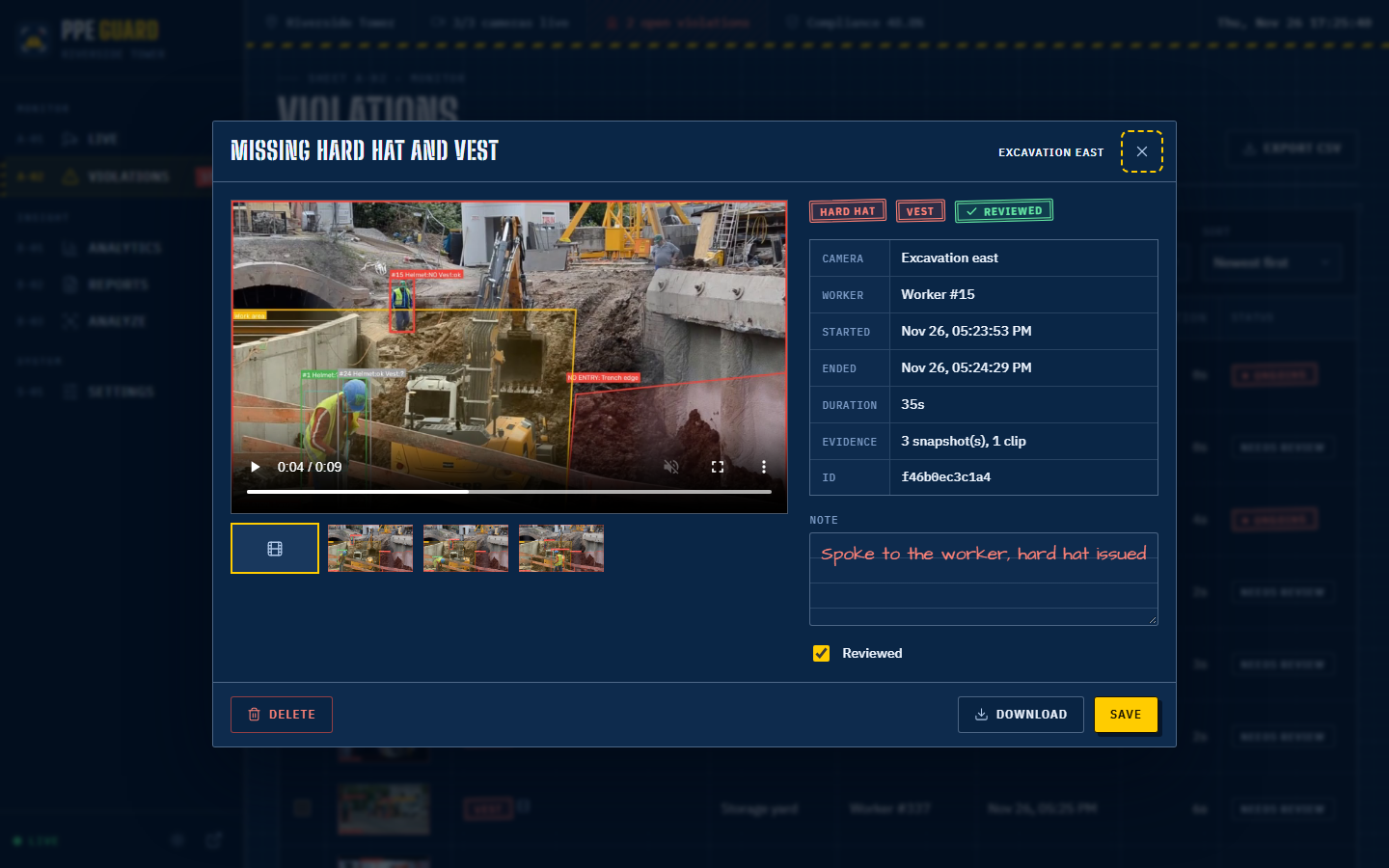
What is recorded
| Evidence | When |
|---|---|
| Snapshot | When the violation opens, then every Snapshot every seconds while it lasts, up to Max snapshots per violation. Full-resolution, annotated JPEGs. |
| Video clip | From Seconds before the violation opened until it closes (plus about 1.5 s), capped at Longest clip. Annotated, scaled to Clip width. Turn clips off in Settings → Recording. |
| Details | Camera, worker number, what was missing (or which zone), start, end and duration. |
Clips are saved as H.264 MP4 when the installed OpenCV can encode it (on Windows through the built-in Media Foundation encoder), otherwise as VP8 WebM (as with the standard Linux wheels and the Docker image); both play in current browsers. If neither encoder is available, clips fall back to MPEG-4 Part 2, which browsers can't play but can download. Settings → System shows which one your install uses.
The Violations page
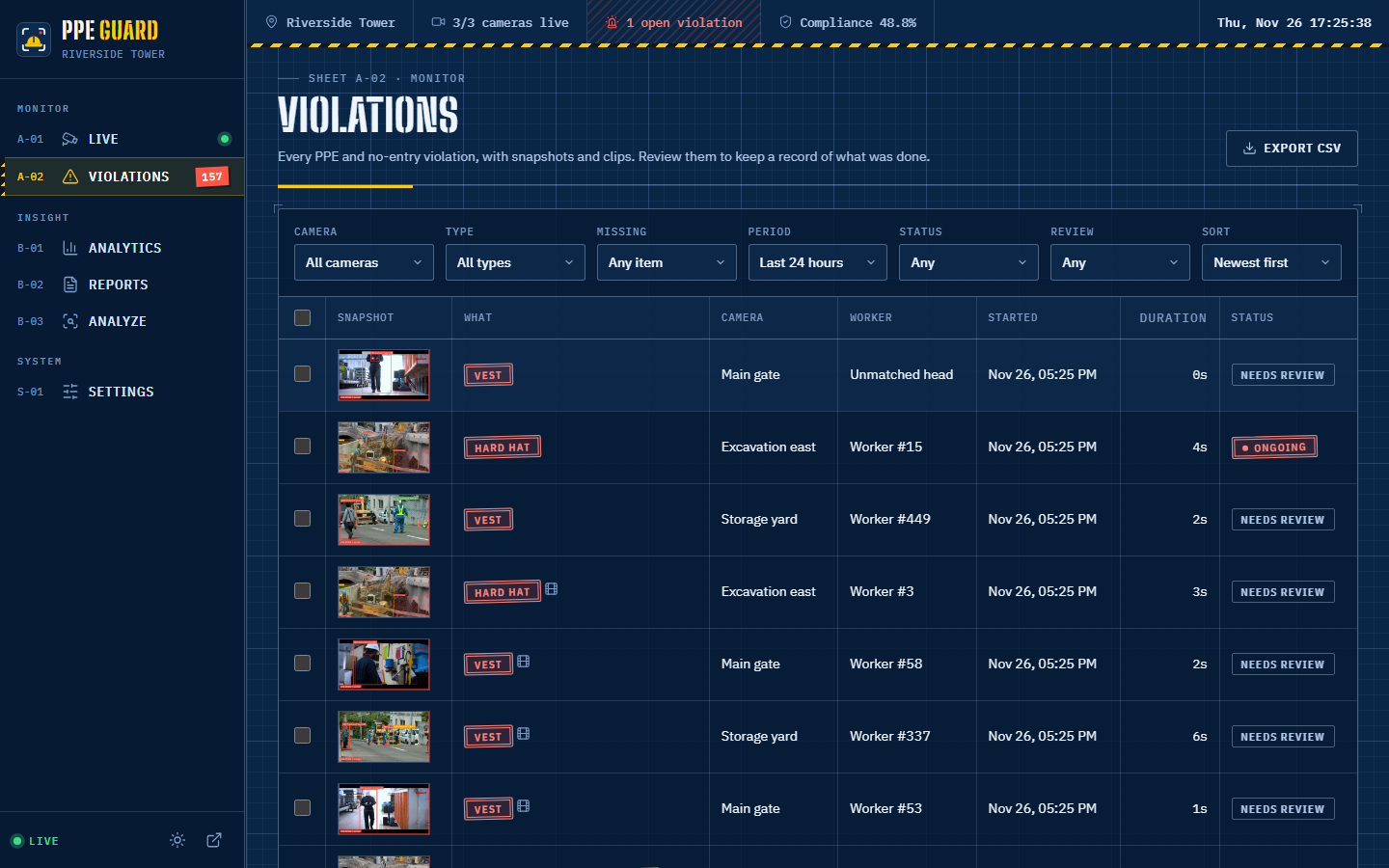
Filter by camera, type (missing PPE or no-entry zone), missing item, period, status (ongoing or ended) and review status, and sort by time, duration or camera. The list updates by itself as new violations come in.
Click a row to open it. In the detail view:
- Switch between the clip and the snapshots in the strip under the picture (or with the arrow keys). Download saves the one shown.
- Write a Note (what was done about it) and tick Reviewed, then Save.
- Delete removes the violation with its snapshots and clip.
Select several rows with the checkboxes to mark them reviewed or unreviewed, or delete them, in one go.
Exporting
Export CSV downloads the violations matching the current filters, with one row per violation:
id,type,camera_id,camera_name,worker,missing,zone,started,ended,duration_s,acknowledged,note,snapshots,clip
8e3da6d2eb4f,ppe,gate,Main gate,t14,helmet|vest,,2026-11-26T13:36:02,2026-11-26T13:36:20,18.0,True,Hard hat issued,3,8e3da6d2eb4f.mp4
Text people typed (notes, camera and zone names) that starts with =, +, - or @ gets a
leading ', so a spreadsheet shows it as text instead of running it as a formula.
For a formatted summary, use Reports.
Keeping storage under control
Each violation takes from a few hundred kilobytes to a few megabytes, depending on the number of
snapshots and the clip length. To delete old data
automatically, set Keep violations for (days) in Settings → General. Every hour the server
deletes finished violations older than that, with their files. 0 (the default) keeps
everything. Settings → System shows how much space snapshots, clips and the database use.
Violations that were still open when the server stopped are closed at their last sighting on the next start.
Worker numbers
#14 is the tracker's ID for a person in that camera. It stays the same while the person is
tracked, but it is not an identity: the same person gets a new number after leaving the picture,
after a long occlusion, on another camera, or when a video file loops. PPE Guard does not
recognise faces or identify people.
? marks a bare head or missing item found without a matching person box, which happens when a
person is partly hidden.