The dashboard
ppe-guard serve starts a web dashboard at http://localhost:8000. It works in any modern
browser, on desktop and on phones, in light and dark themes (the moon/sun button at the bottom of
the sidebar).
| Page | What it is for |
|---|---|
| Live | Every camera's annotated video, who is in view, and a live feed of violations. |
| Camera (click a camera) | A large view, a table of workers with what each one needs and wears, and that camera's recent violations. |
| Zones | Draw PPE zones and no-entry zones on a camera. See Zones. |
| Violations | Every violation with filters, snapshots, clips, notes and review status. See Violations. |
| Analytics | Compliance rate, trends and where and when violations happen. See Analytics. |
| Reports | A printable daily or weekly summary. |
| Analyze | Check an uploaded photo or video. See Analyze. |
| Settings | Site name, cameras, rules, recording, alerts, security and system information. |
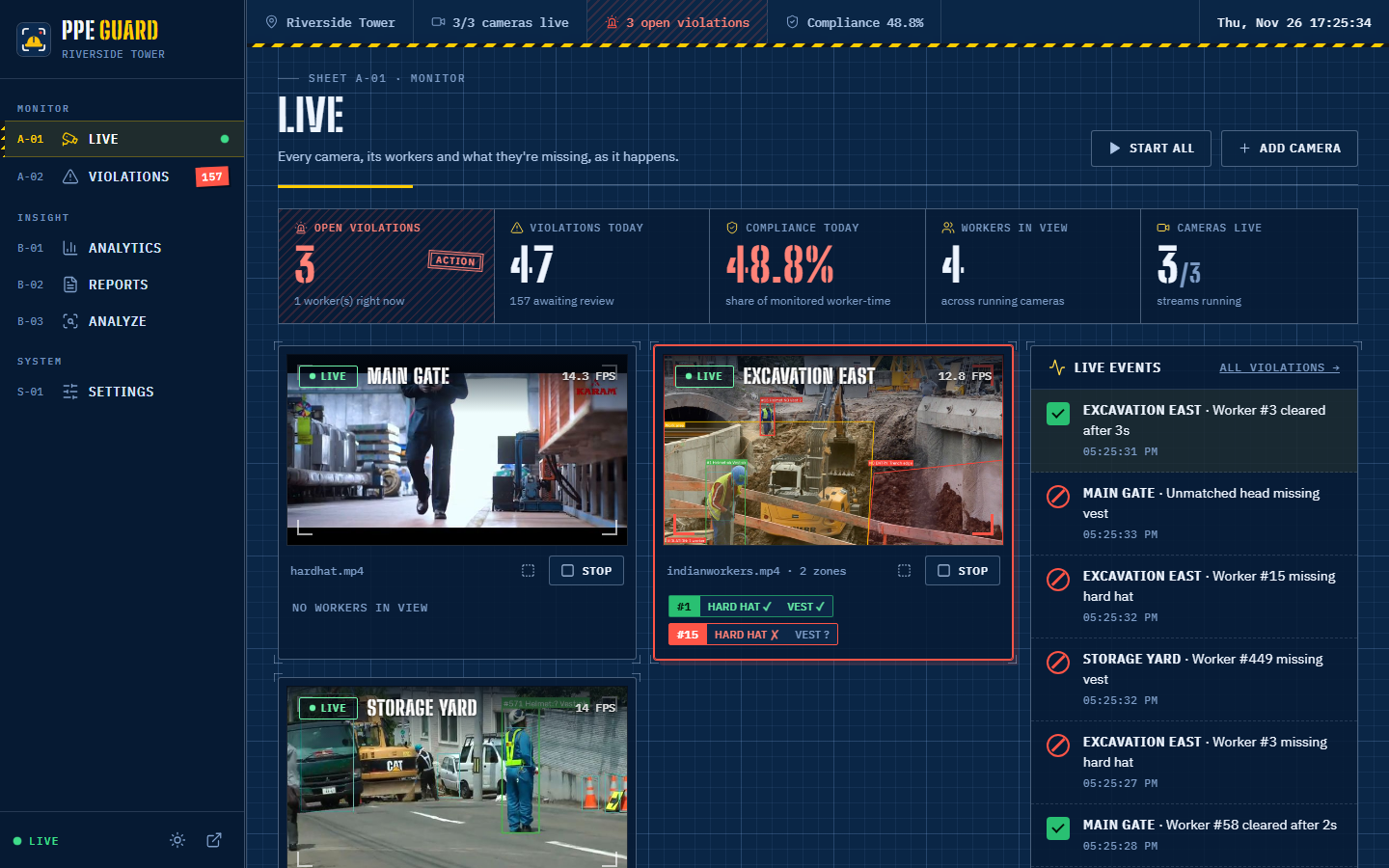
Live
The tiles at the top show:
- Open violations: violations happening right now, and how many workers are in one.
- Violations today, and how many are still awaiting review.
- Compliance today: the share of monitored worker-time without an open violation (see Analytics). It updates once a minute.
- Workers in view across running cameras.
- Cameras live.
Each camera card shows the annotated stream and a chip per worker, for example
#12 Hard hat ✓ Vest ✗. A red frame around the video means someone is in violation. The
Start all button starts every enabled camera.
The red badge on Violations in the sidebar counts violations that nobody has reviewed yet.
Camera page
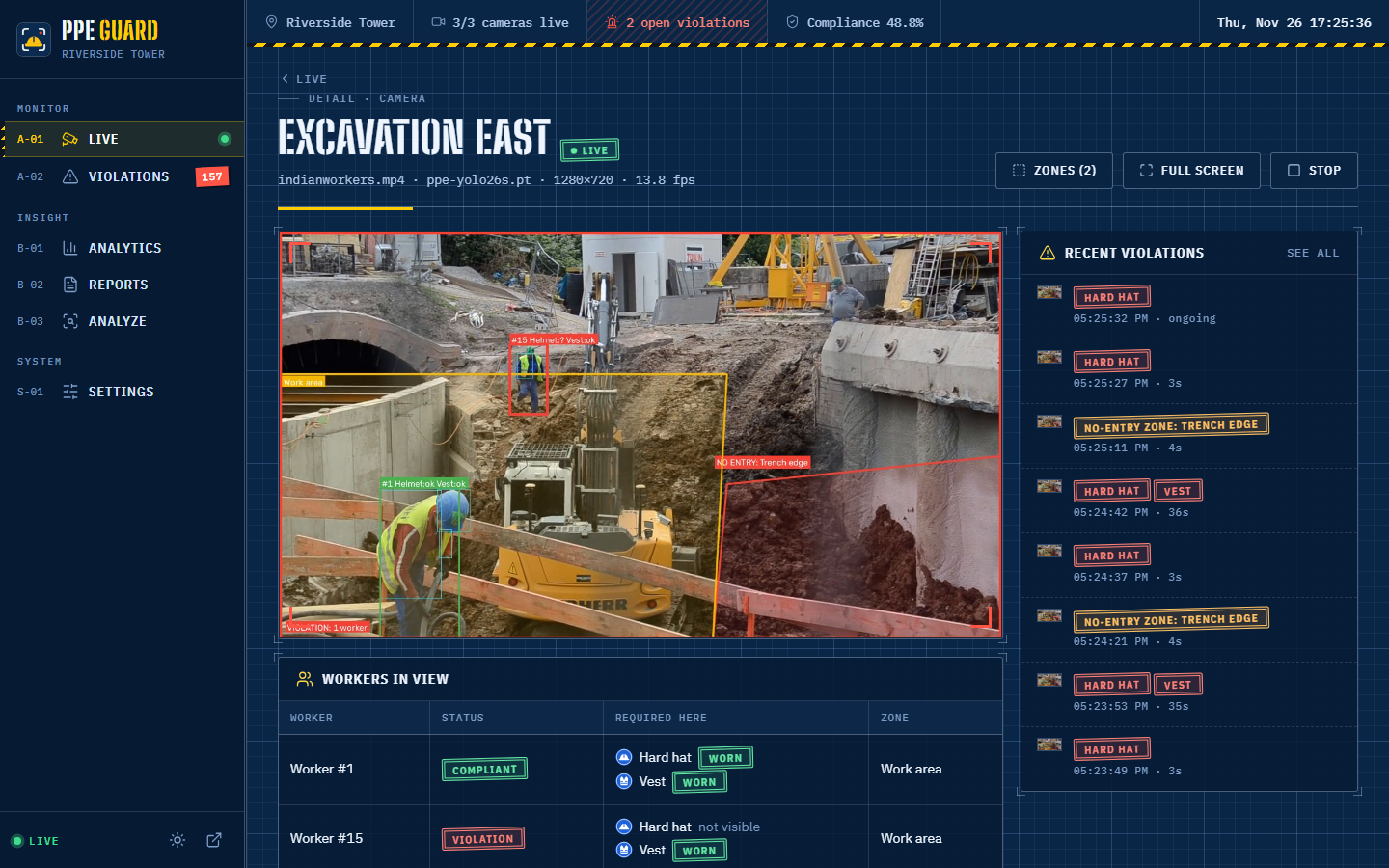
Click a camera's name or video. Besides the large view (with Full screen), the Workers in view table lists each tracked worker's state:
| State | Meaning |
|---|---|
| Compliant | Wears everything required where they stand. |
| Checking | Something looks missing; waiting out the violation delay. |
| Violation | A violation is open (missing PPE or inside a no-entry zone). |
| Not visible | A required item can't be seen (for example the torso is hidden). |
| No PPE required here | The camera has PPE zones and this worker isn't in any, so nothing is required. |
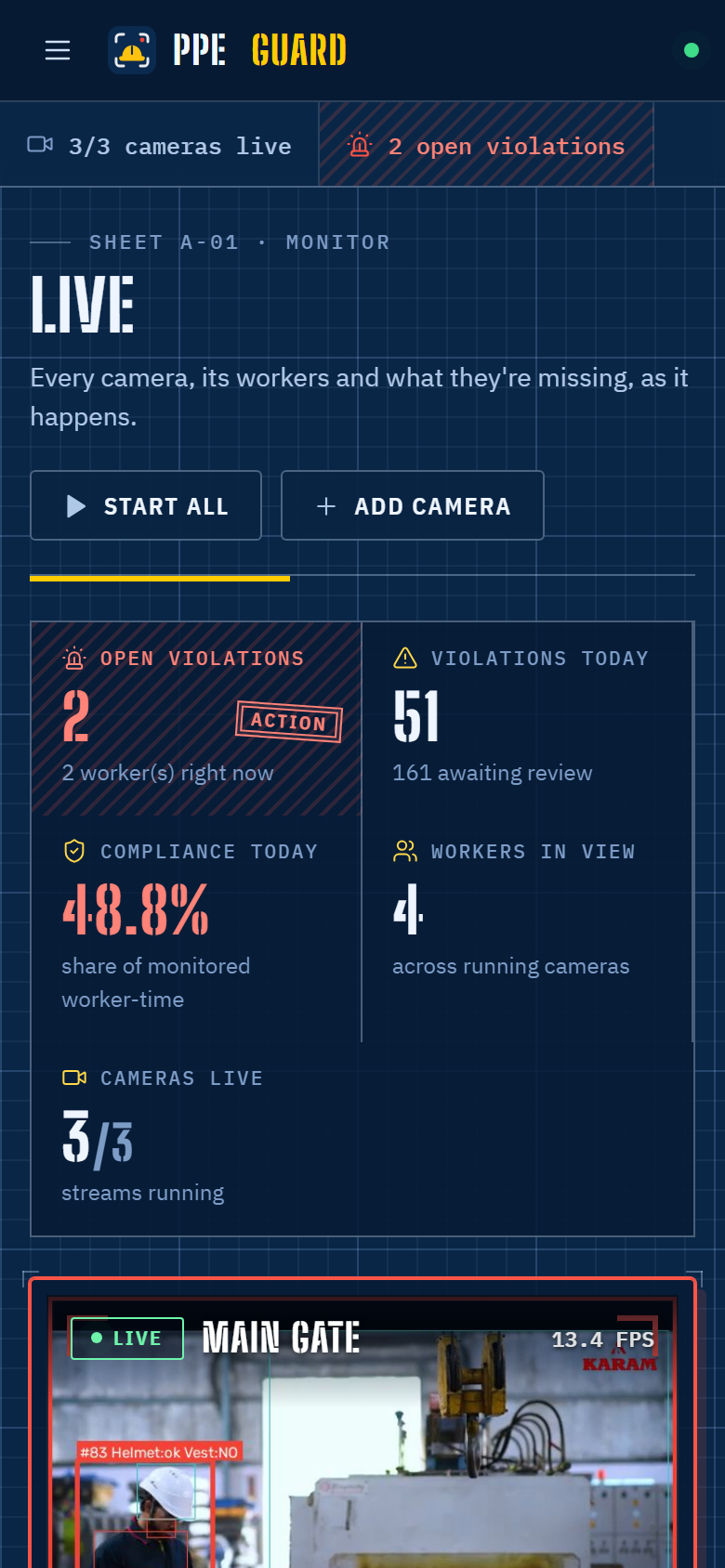
Phones and tablets
On narrow screens the sidebar becomes a menu (top left). Every page works on a phone, which is handy for supervisors walking the site.
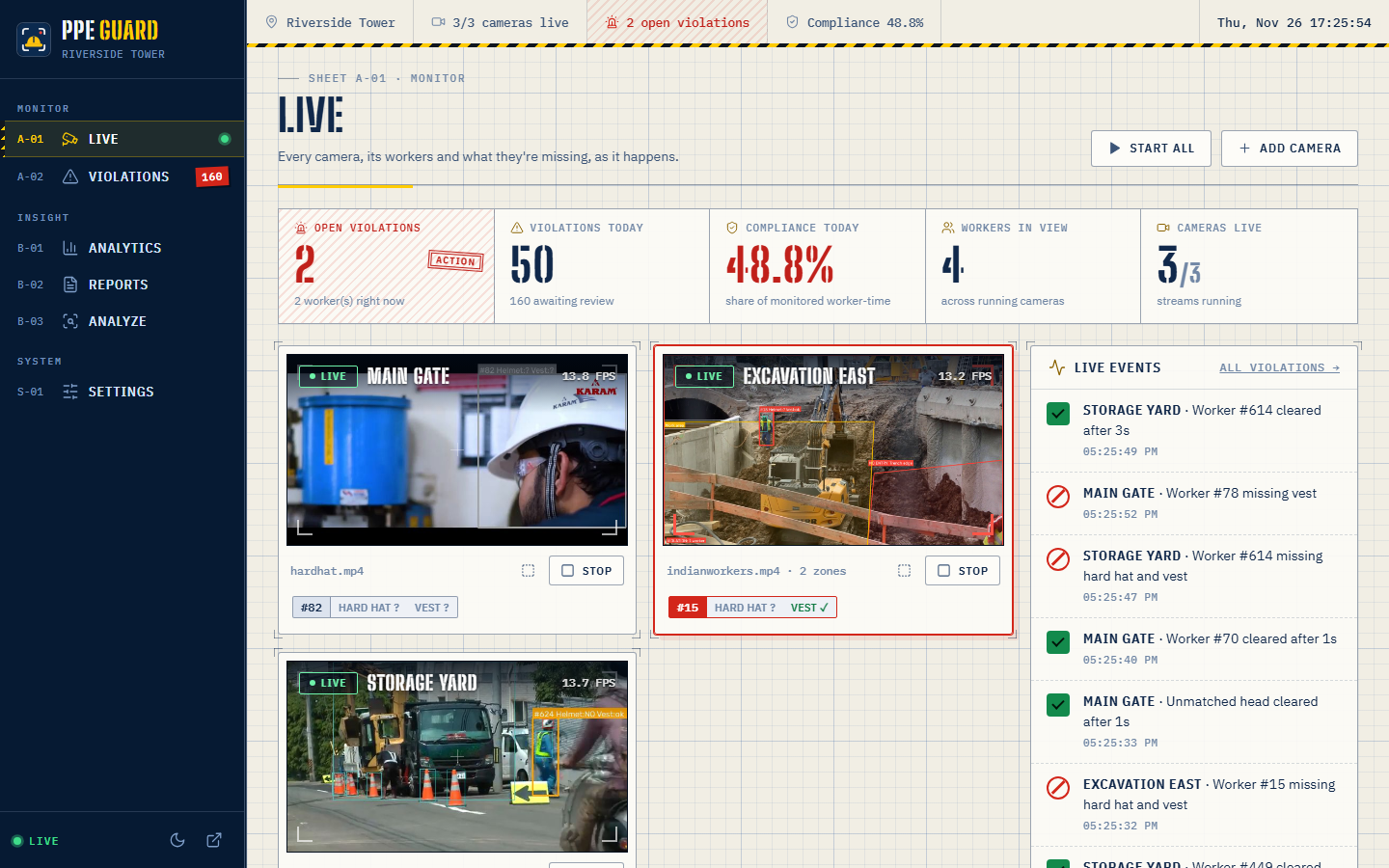
Light and dark
The theme follows your system setting until you pick one with the button at the bottom of the sidebar; the choice is remembered in that browser.
Live updates
The dashboard keeps a WebSocket open to the server. The dot at the bottom of the sidebar shows the connection: green when live. If the server restarts, the page reconnects by itself.