Analyze files
Analyze checks a photo or a recorded video with the same model and rules as the cameras, without setting up a camera. Use it to check footage from a phone, a drone or a body camera, or to try PPE Guard on your own site's pictures before installing cameras.
Photos
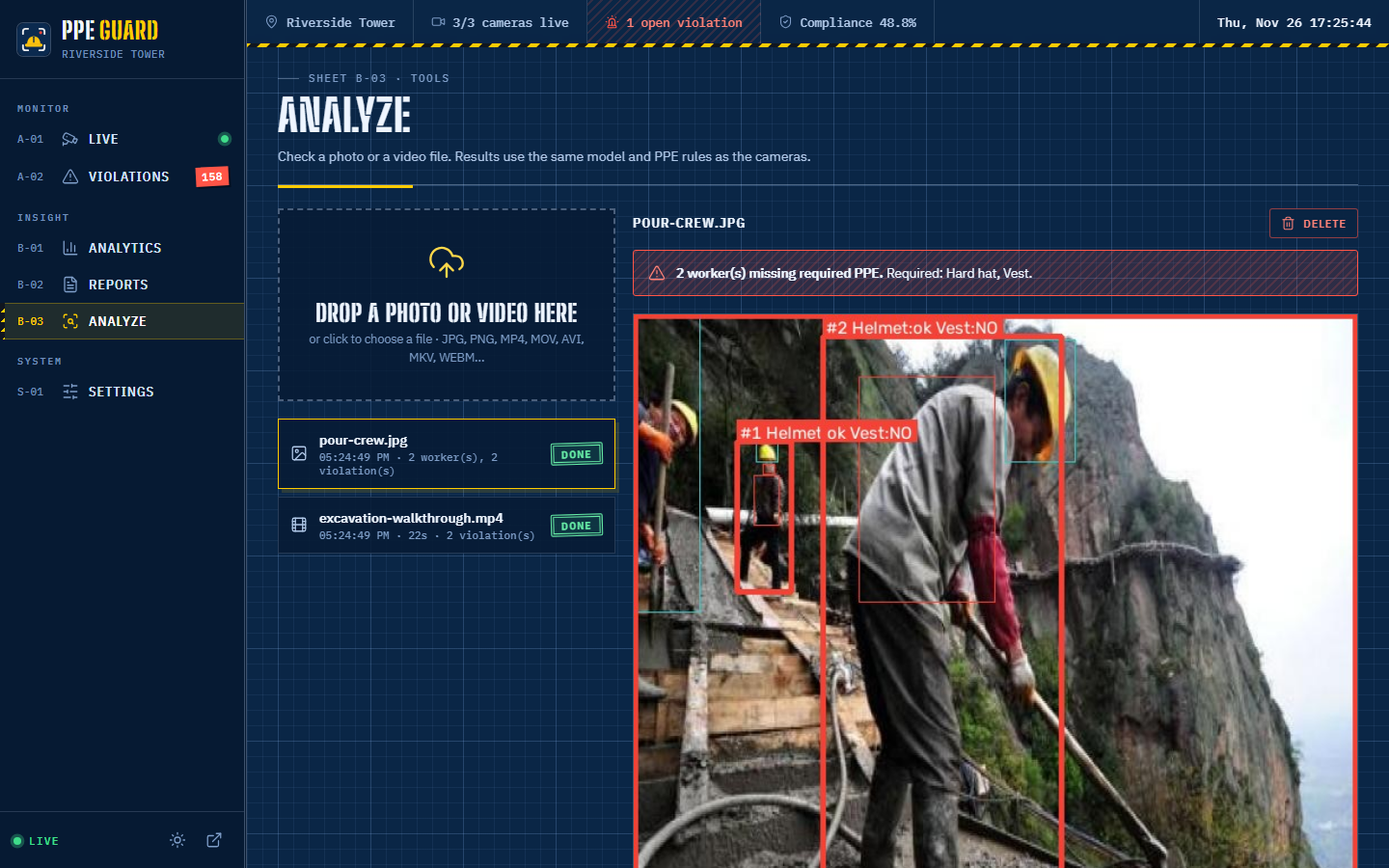
Drop a photo on the page (or click to choose one). The result appears in a second or two:
- a verdict (how many workers are missing required PPE),
- the annotated image,
- a table of workers with each required item marked worn, missing or not visible.
A photo has no time dimension, so there is no violation delay: a required item that is visibly missing is a violation. An item that can't be seen is not visible, unless strict mode is on.
Videos
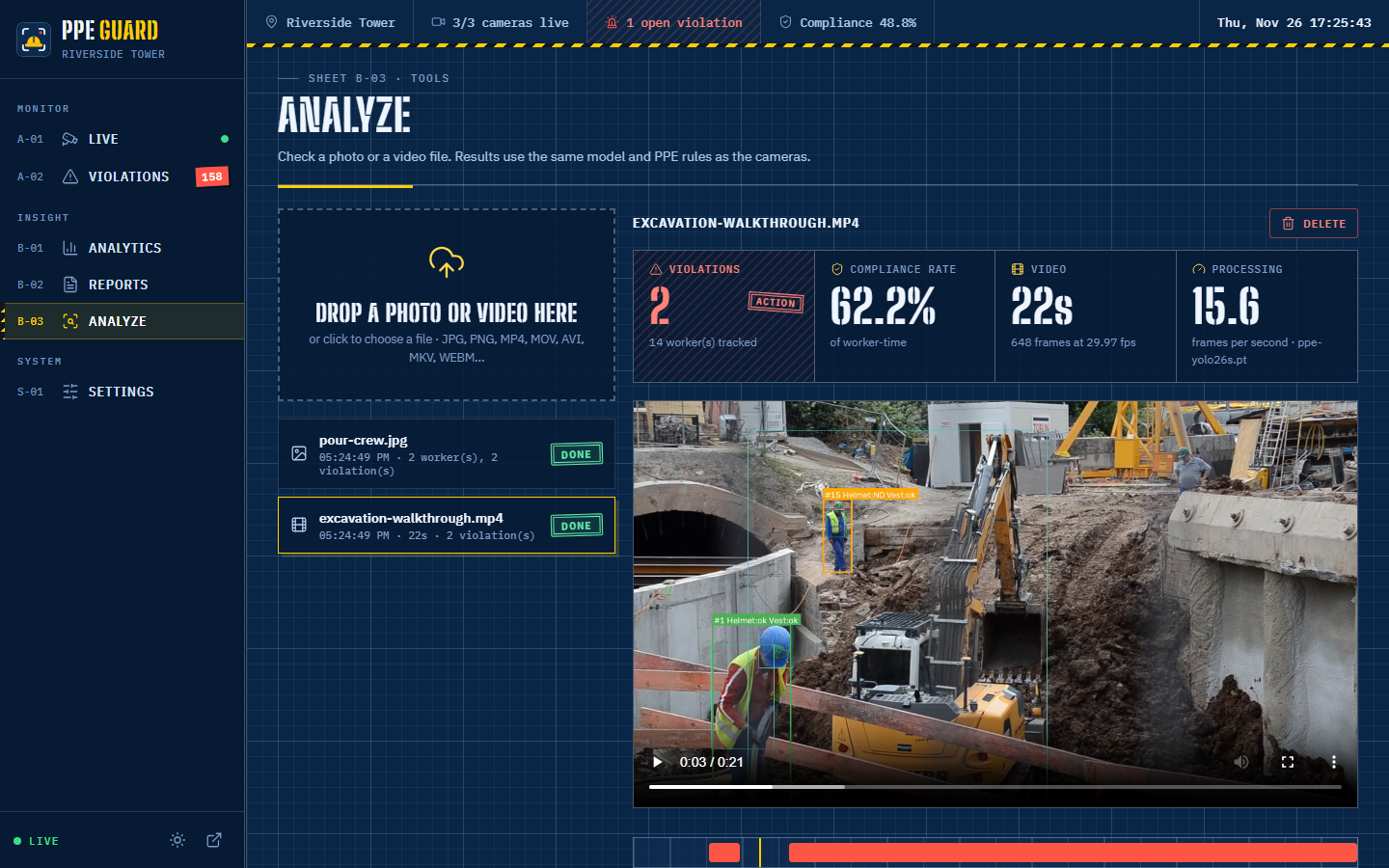
Videos are processed in the background, one at a time, as fast as the hardware allows. You can leave the page; progress continues and the result stays in the list. Each video gets:
- the annotated video, which you can play in the page or download,
- a timeline with a mark for each violation; click one to jump to it,
- a table of violations with the time in the video, a snapshot, the worker, what was missing and how long it lasted,
- the number of workers tracked and the compliance rate over the video.
Videos use the video's own clock, so the violation delay means the same as on a live camera whatever the processing speed.
Zones are not applied to uploads, because they belong to a camera's fixed view.
Supported files and limits
Photos: JPG, PNG, BMP, WEBP, JFIF, TIFF. Videos: MP4, MOV, AVI, MKV, WEBM, M4V, MPG, WMV (any codec your OpenCV build can read).
Uploads are limited to 500 MB and the last 20 results are kept. Change both in Settings → General. The uploaded file itself is deleted once it has been processed; only the annotated result and snapshots are kept.
From the command line
ppe-guard predict does the same in a terminal and can process whole folders: